
Meesho Supplier Panel Login: Complete Step-by-Step Guide for Sellers
If you sell products online in India, the Meesho Supplier Panel login is the door to your entire business. It is the dashboard where you upload catalogs, receive orders, print labels, track returns, check payments and talk to support. Miss the login, and everything else stops.
This guide covers the full Meesho seller login process on desktop and mobile, what to do when the OTP does not arrive, how to reset a forgotten password, how to register if you are new, and how to navigate the panel once you are inside. It is written for first-time sellers as well as existing suppliers who ran into a login error.

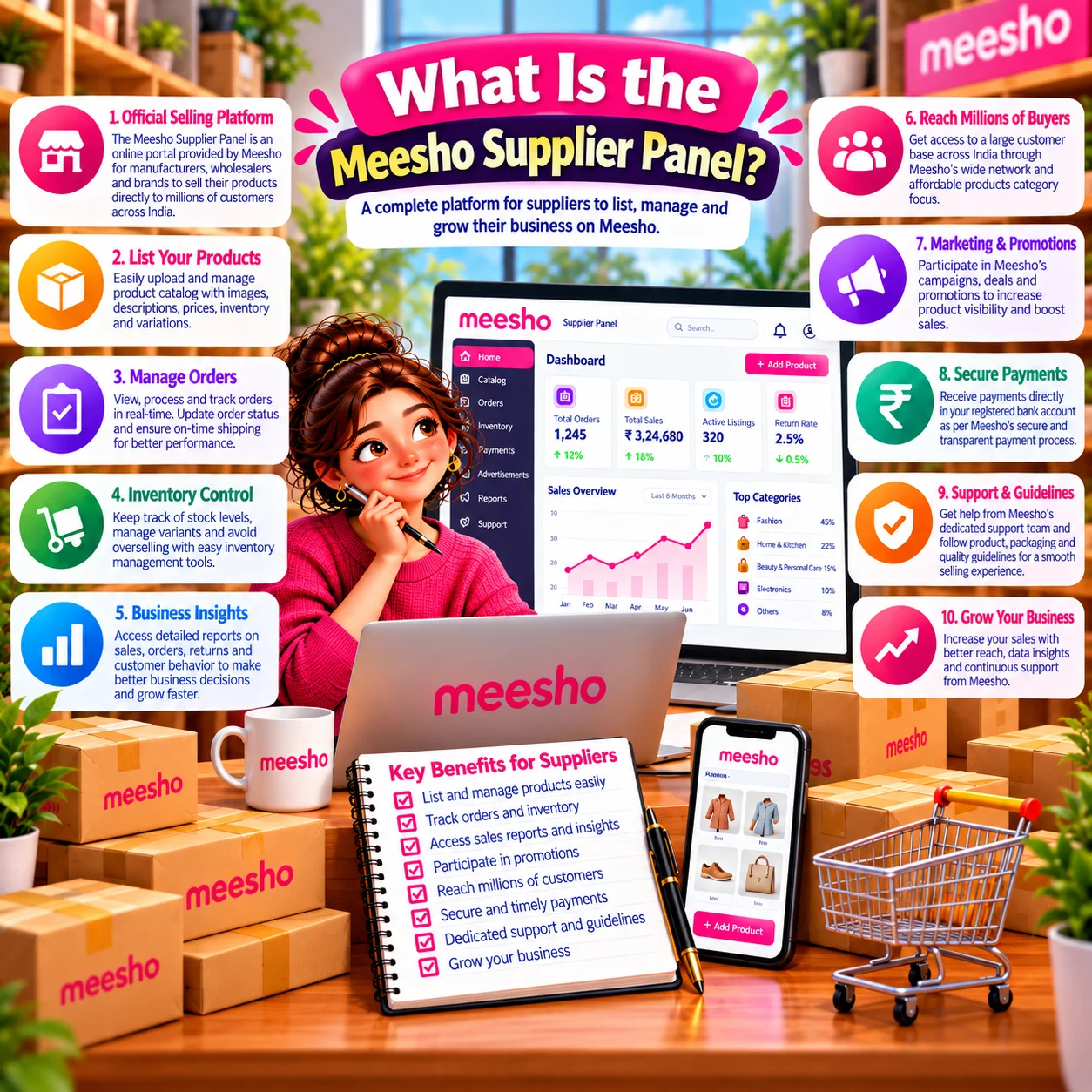
What Is the Meesho Supplier Panel?
The Meesho Supplier Panel, also called the Meesho Seller Panel or Meesho Seller Dashboard, is a web-based platform for registered suppliers on Meesho. It gives you one place to run your online store instead of juggling emails, spreadsheets and phone calls.
Inside the panel you can:
- Create and upload product catalogs, one at a time or in bulk
- Edit prices, stock and product details
- Receive new orders and download shipping labels
- Track dispatch, delivery, returns (RTO) and exchanges
- View payments, settlements and deduction details
- Run ads to push your products higher in search
- Check quality scores, ratings and customer feedback
- Raise a support ticket when something goes wrong
Because everything sits behind one login, keeping your credentials safe matters as much as knowing the steps.
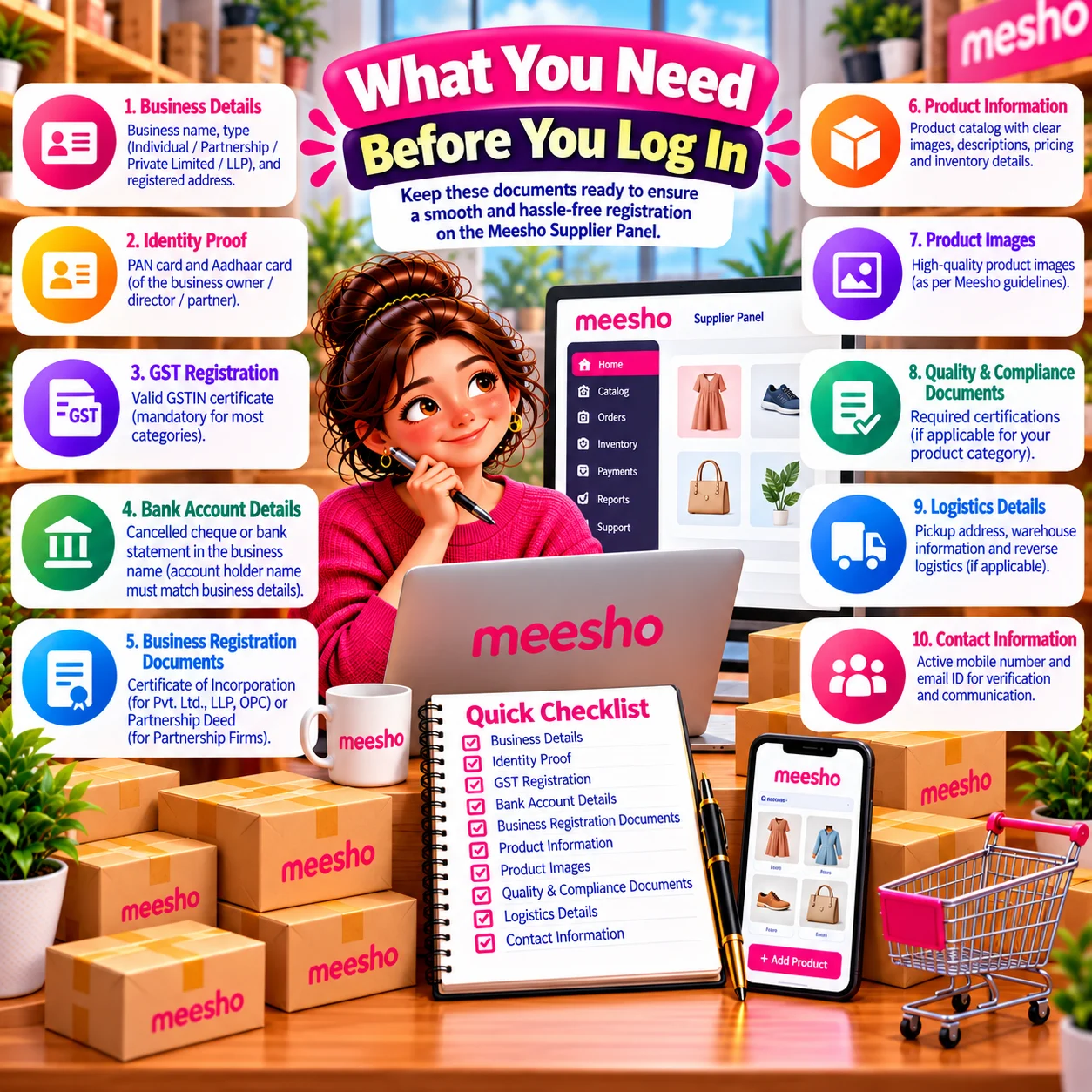
What You Need Before You Log In
- Registered email address used at the time of sign-up
- Password for your supplier account
- Registered mobile number, in case an OTP is required
- A laptop or desktop with a stable internet connection, recommended for catalog work
- An updated browser such as Chrome, Edge or Firefox
If you have not registered yet, see the registration section further down.
What We Do
How to Login to Meesho Supplier Panel: Step by Step
01
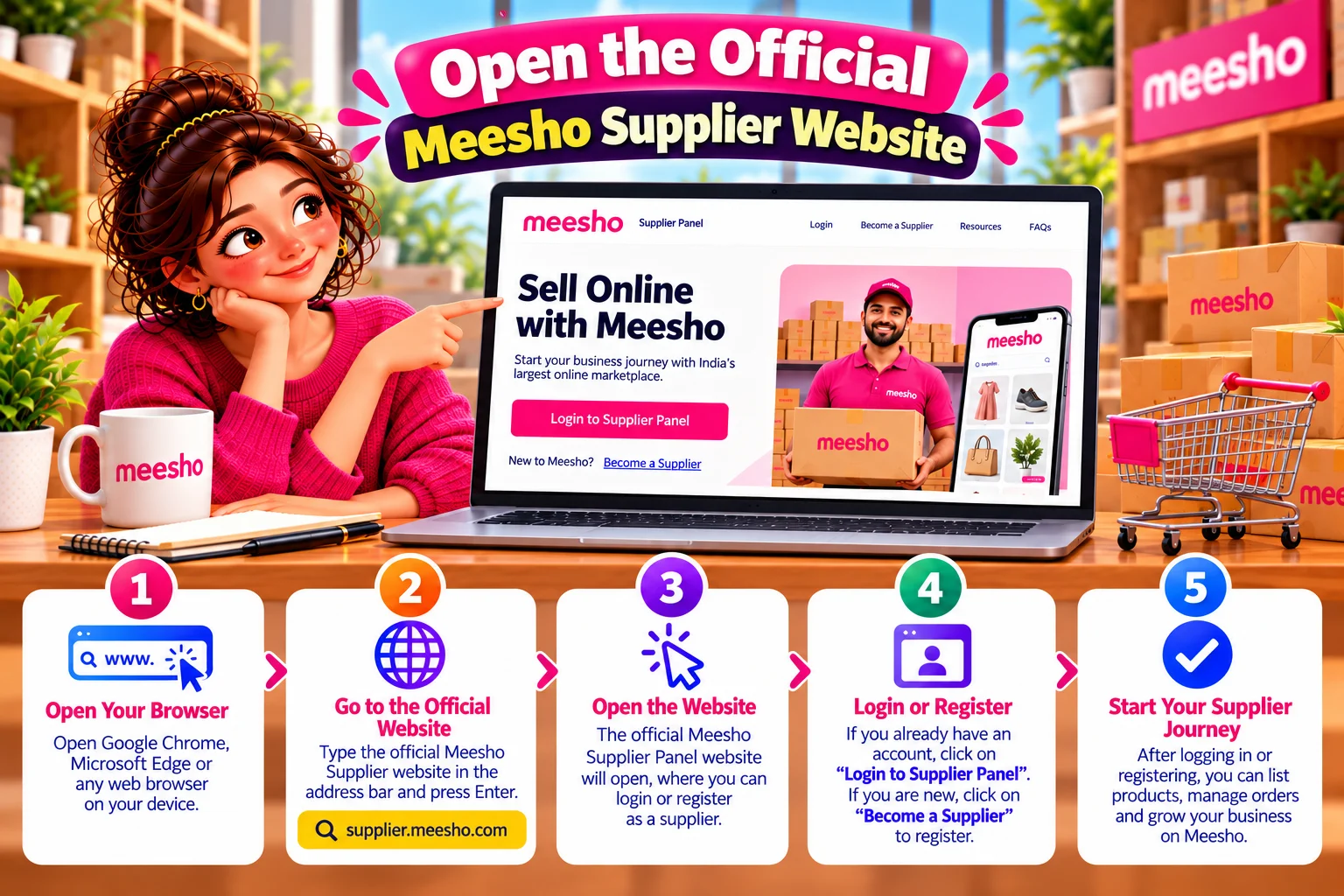
Open the official supplier website
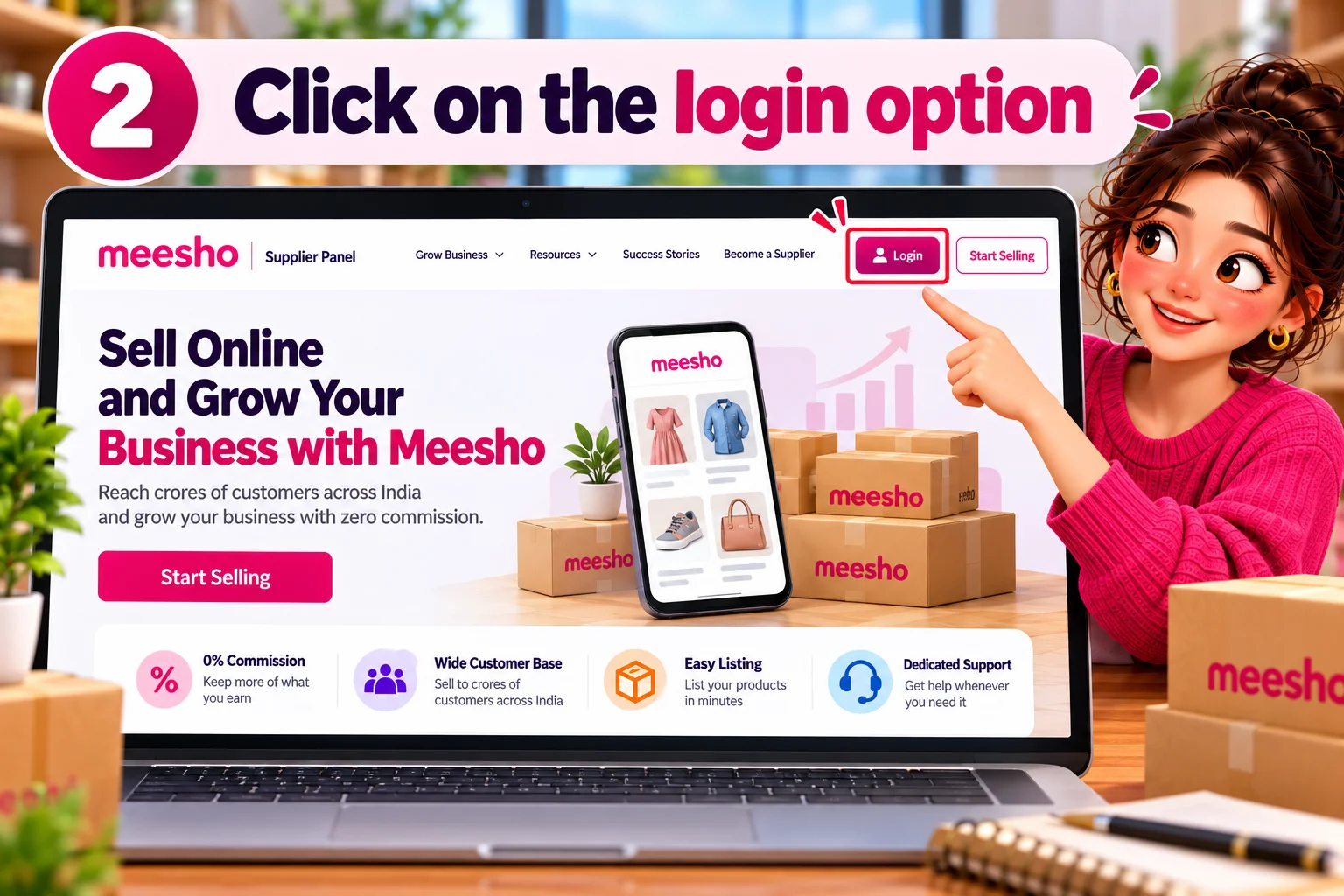
02
Click on the login option
03
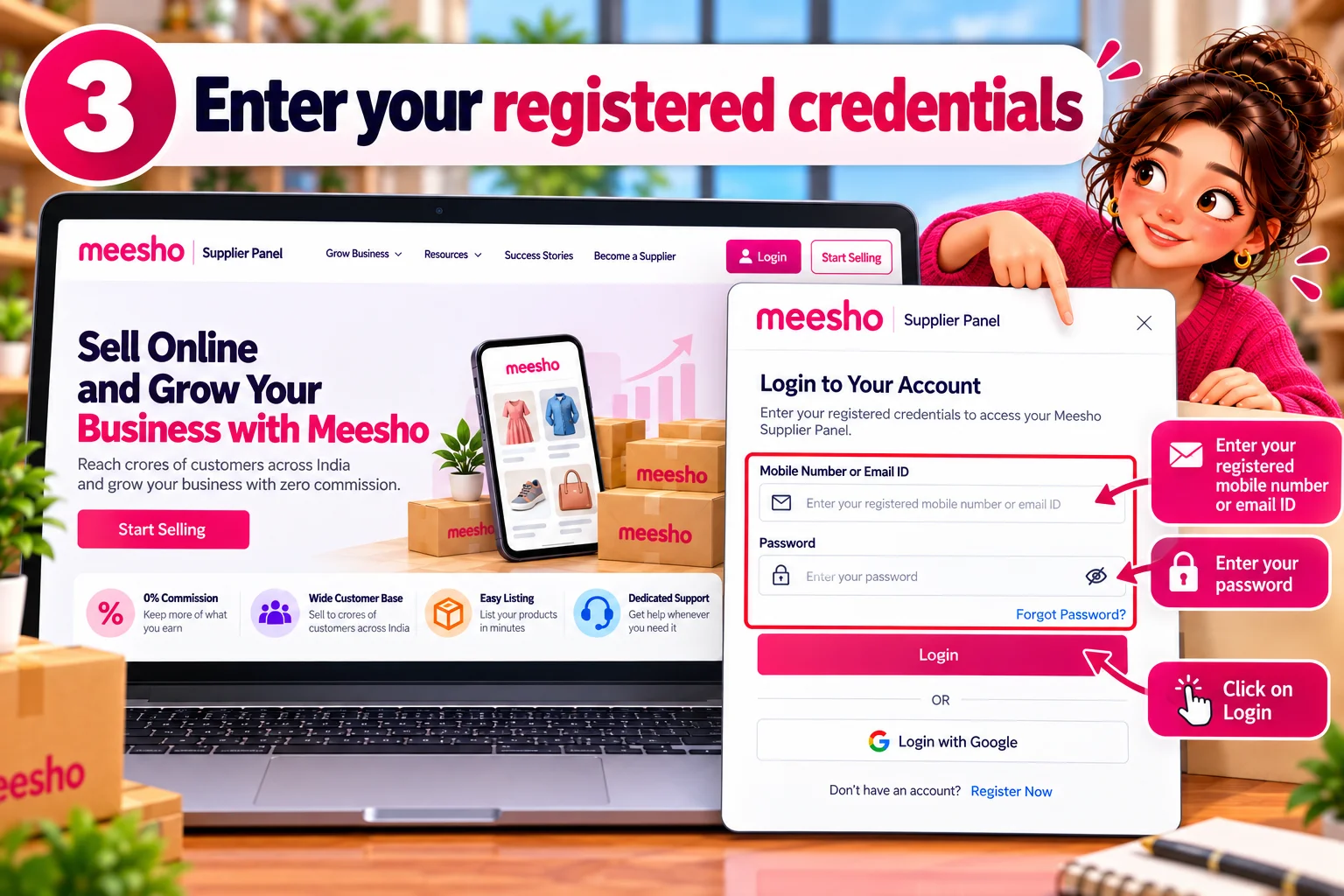
Enter your registered credentials
04
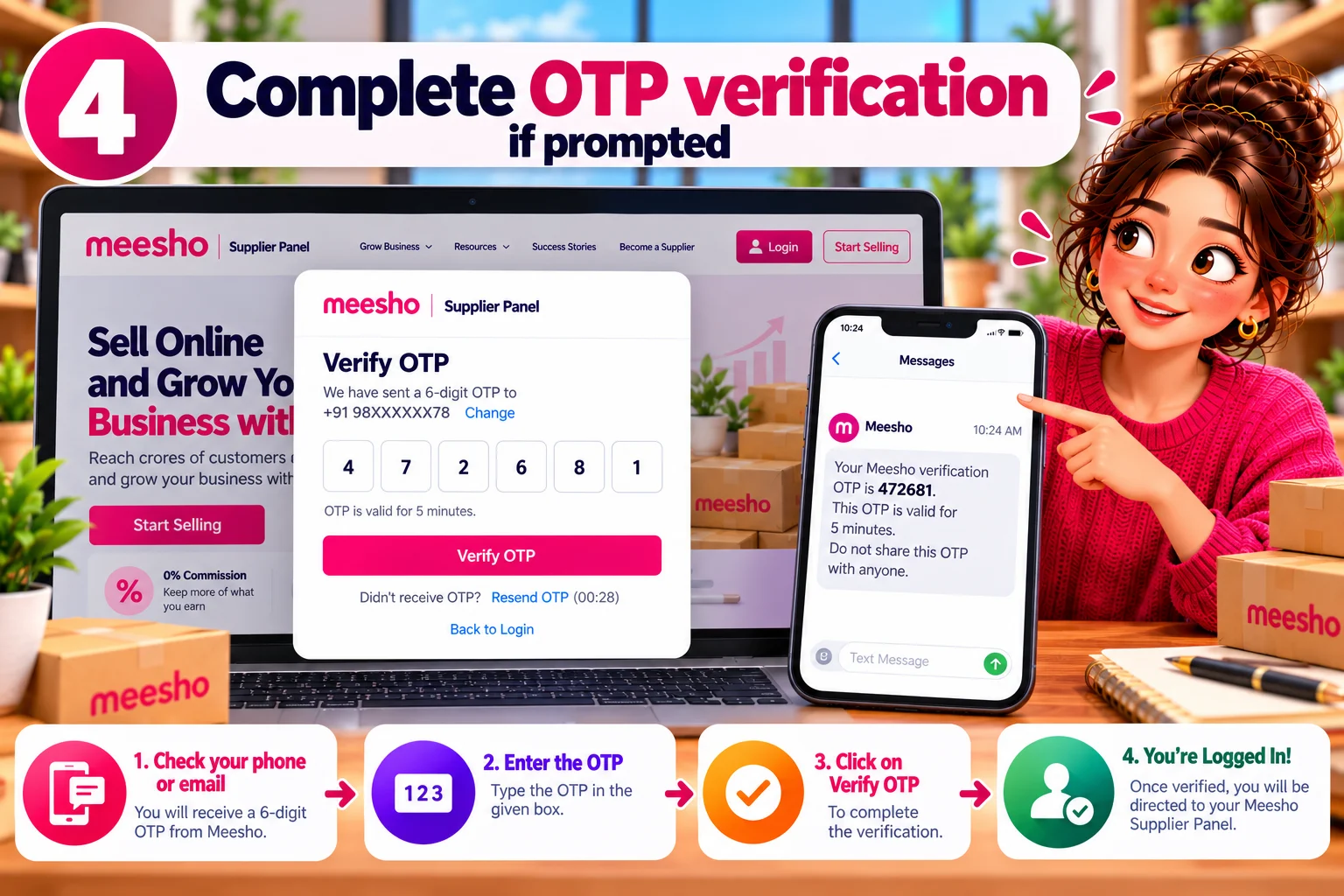
Complete OTP verification if prompted
05
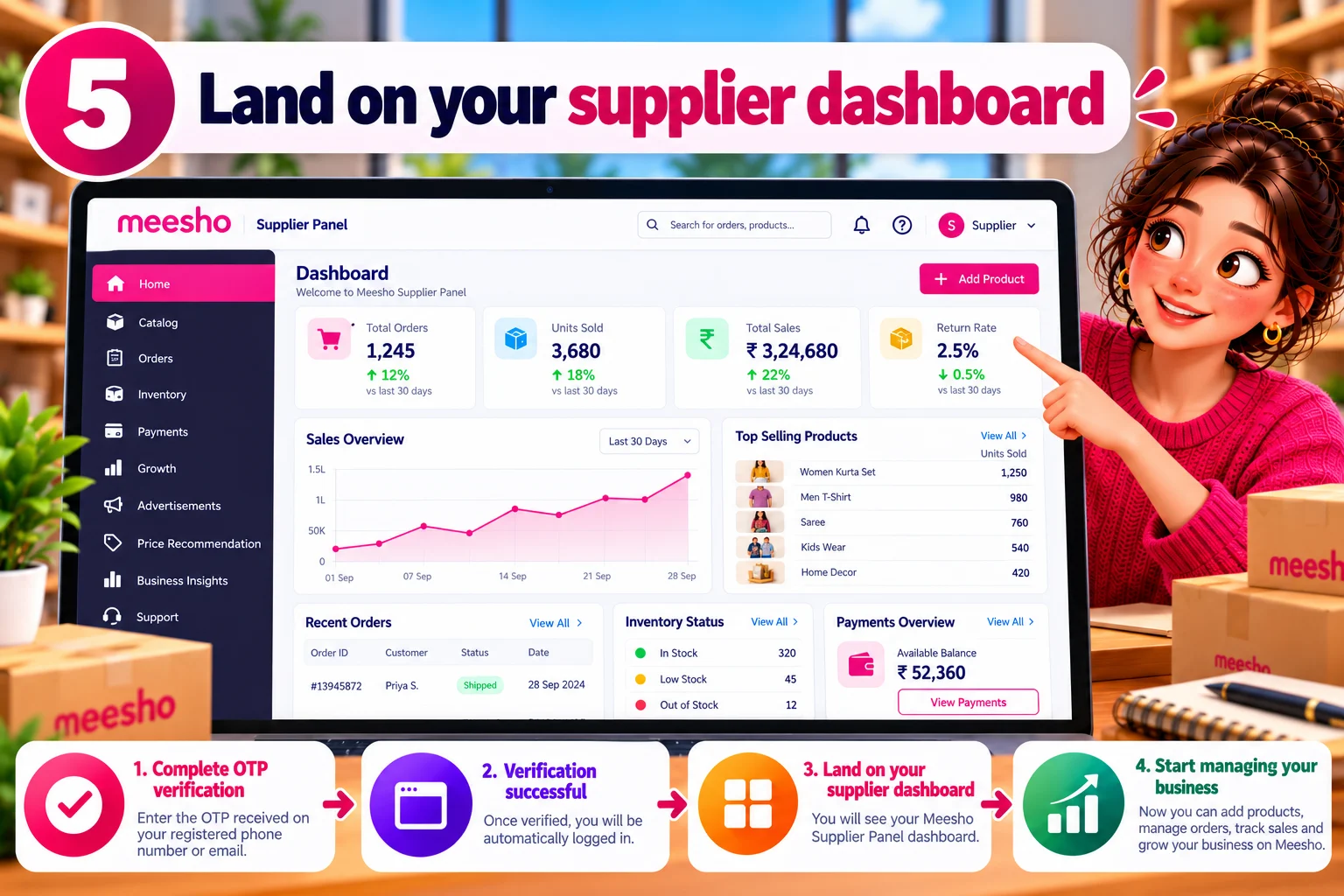
Land on your supplier dashboard
06
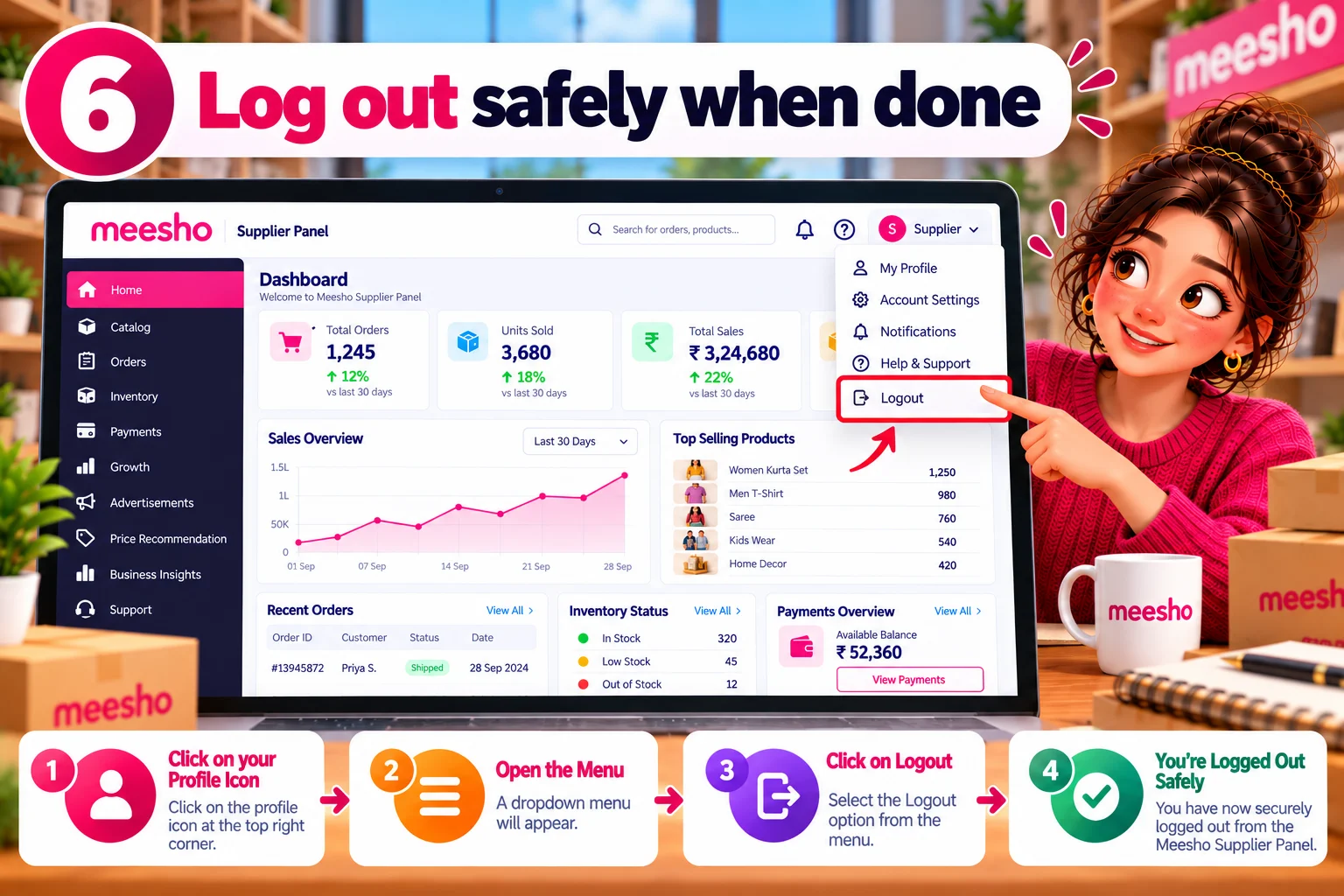
Log out safely when done
If you work on a shared computer, in a cyber cafe or at a workspace with other staff, always log out from the profile menu. Simply closing the tab can leave the session active.
Forgot Password? How to Reset Your Meesho Seller Login
Go to the login page at supplier.meesho.com.
Click Forgot Password below the password field.
Enter your registered email address or mobile number.
Open the reset link sent to your email, or enter the OTP sent to your phone.
Create a new password with at least eight characters, one uppercase letter, one number and one special character.
Return to the login page and sign in with the new password.
New Seller? How to Register on the Meesho Supplier Panel
Documents you will need
- GSTIN, required for most categories
- PAN card details
- Active bank account number and IFSC code
- A pickup address, usually the address registered with your GST
- An active mobile number and email address
Registration steps
- Visit supplier.meesho.com and click Start Selling.
- Enter your mobile number and verify it using the OTP.
- Add your business email address and create a strong password.
- Click Create Supplier Account.
- Enter your GSTIN and let the system verify it.
- Fill in your pickup address details.
- Add your bank account number and IFSC code for payments.
- Enter your store name and business details, matching the name on your GST record.
- Accept the terms and submit.
Once the account is approved you can log in and start uploading catalogs.
Common Login Problems and Fixes
| Problem | Likely Cause | What to Do |
|---|---|---|
| Invalid email or password | Typo, Caps Lock on, old autofilled password | Retype manually, or use Forgot Password |
| OTP not received | Weak signal, DND settings, full inbox | Wait 60 seconds and resend; check the spam folder |
| Page not loading or stuck | Cache and cookie conflict | Clear cache, try incognito mode or another browser |
| Session logs out repeatedly | Browser blocking cookies | Allow cookies for the Meesho domain |
| Account not found | Using a different email or number | Use the exact ID entered during registration |
| Account blocked or on hold | Policy issue or pending verification | Contact Meesho Supplier Support and raise a ticket |
| Dashboard blank after login | Slow connection or extension conflict | Disable extensions, refresh, try another network |
A Quick Tour of the Dashboard After Login
Orders
Shows new, ready-to-ship, dispatched, delivered, cancelled and returned orders. Process new orders quickly, since delayed dispatch affects your seller rating.
Catalogs
Upload new products, edit existing listings, update stock and prices, and fix catalogs rejected during quality checks.
Payments
Track settlements, view payment dates and see deductions such as shipping and return charges. Download payment statements for your accounting records.
Returns and claims
Monitor returns coming back to your pickup address and raise claims for damaged or missing returns within the allowed window.
Ads
Run campaigns to increase product visibility, set budgets and check whether the spend is generating orders.
Support
Browse the help section for frequently asked questions, or open My Tickets to raise a new issue and follow its status.
Security Tips for Your Supplier Account
- Log in only through the official Meesho supplier website or the official app.
- Never share your password or OTP with anyone, including callers claiming to be from Meesho. Meesho staff will not ask for an OTP.
- Use a unique password that you do not reuse on other marketplaces.
- Change the password immediately if a staff member with access leaves your business.
- Avoid saving the password in shared browsers.
- Be cautious of emails promising faster payments or account upgrades through a link.
Frequently Asked Questions
What is the official Meesho supplier panel login link?
Is there any fee to log in or create a supplier account?
Can I log in without GST?
Can two people use the same supplier login?
Why does Meesho ask for an OTP every time?
I forgot both my email and password. What now?
How long does account approval take for new sellers?

Get Expert Ecommerce Account Management
We’re always happy to help! Reach out to us through any of the following channels, and we’ll get back to you as soon as possible.
Have a question ?
+91 9654553640
Email Us
sales@infobeamsolution.com