
Flipkart Seller Profit Calculator
If you sell on Flipkart, you’ve probably had this exact moment: you check your payout report, and the number sitting in your account is meaningfully lower than what you mentally budgeted when you priced the product. It’s not a glitch, and it’s not Flipkart shortchanging you — it’s commission, fixed fee, shipping charge, and (if the order was Cash on Delivery) a collection fee, all quietly deducted before the money ever reaches you.
Our Flipkart seller calculator exists to show you that full picture before you list, not after your first settlement cycle leaves you confused. Enter your selling price, product weight, shipping geography, seller tier, and fulfillment method, and you’ll get an instant, itemized breakdown — commission fee, fixed fee, shipping fee, total fees, and your real gross margin. It’s the same math Infobeam Solution’s account managers run when we’re pricing products for the sellers we manage day to day, just handed directly to you.
Whether you’re listing your very first product on Flipkart or you’ve been selling for years and just want a faster way to sanity-check pricing, this tool gets you an accurate number in under a minute — no spreadsheet, no guesswork.
Shipping Fee: ₹0.00
Commission Fee: ₹0.00
Fixed Fee: ₹55.00
Total Fees: ₹0.00
Gross Margin: ₹0.00
How to Use the Flipkart Seller Calculator?
Enter your Product Cost — your actual sourcing or manufacturing cost per unit, not your selling price.
Enter your Selling Price — the price you plan to list at.
Enter Product Weight and Dimensions — this is where FBA differs most from other shipping methods. Amazon charges on dimensional weight, so a large but light product can cost more to fulfil than a small, dense one. Measure the packed product, not just the item.
Select your Category — fulfillment fees and referral fees both vary by category.
Estimate your expected Storage Duration — how long, on average, you expect inventory to sit before selling. This matters more than most sellers realize; a product with slow turnover accumulates long-term storage fees that a fast-moving product never touches.
Click Calculate — you'll see your FBA fulfillment fee, referral fee, estimated storage cost, total cost, net profit, and ROI — the return relative to what you actually invested in inventory and fees.
Shipping Fee: ₹0.00
Commission Fee: ₹0.00
Fixed Fee: ₹55.00
Total Fees: ₹0.00
Gross Margin: ₹0.00
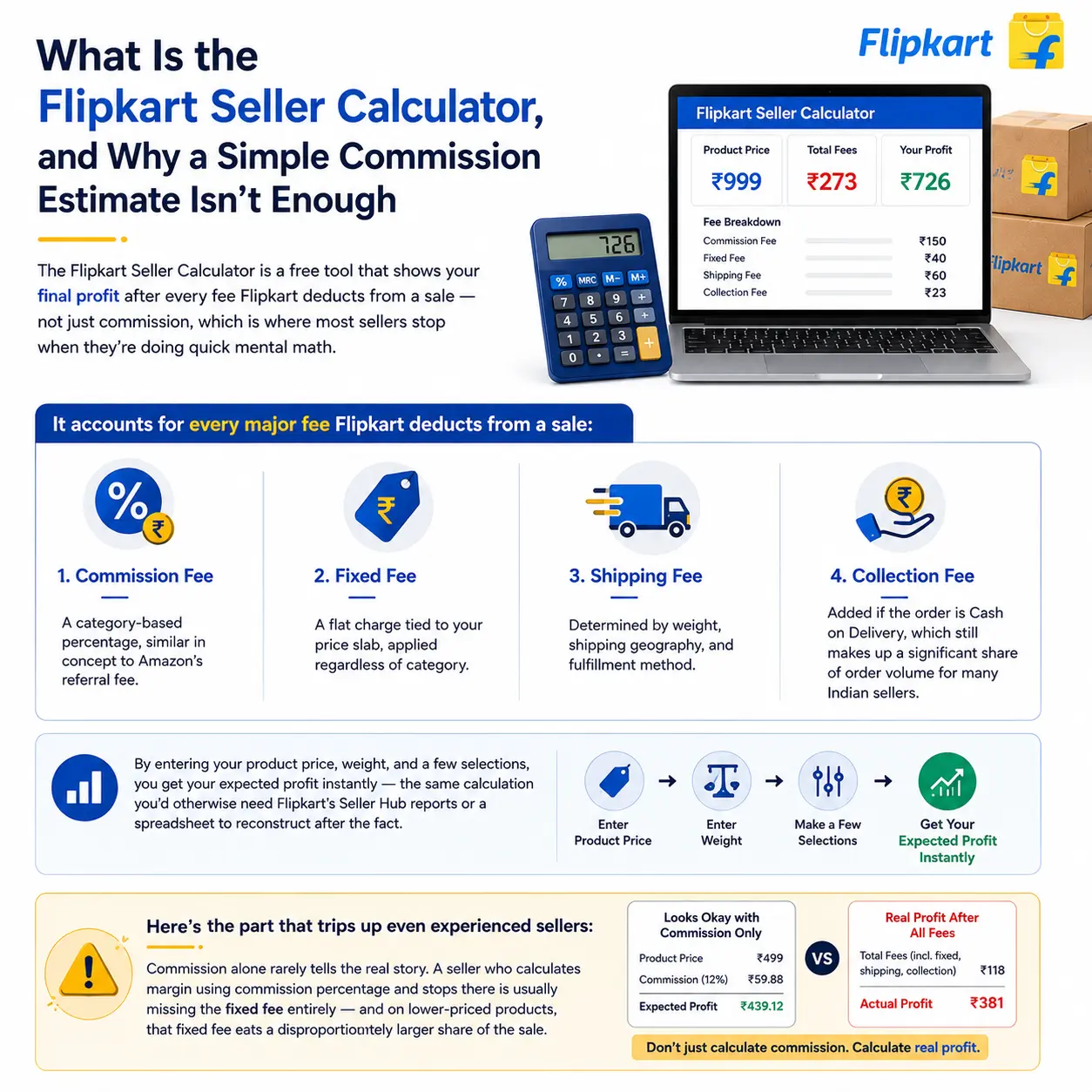
What Is the Flipkart Seller Calculator, and Why a Simple Commission Estimate Isn't Enough
The Flipkart Seller Calculator is a free tool that shows your final profit after every fee Flipkart deducts from a sale — not just commission, which is where most sellers stop when they’re doing quick mental math. It accounts for:
- Commission fee — a category-based percentage, similar in concept to Amazon’s referral fee
- Fixed fee — a flat charge tied to your price slab, applied regardless of category
- Shipping fee — determined by weight, shipping geography, and fulfillment method
Collection fee — added if the order is Cash on Delivery, which still makes up a significant share of order volume for many Indian sellers By entering your product price, weight, and a few selections, you get your expected profit instantly — the same calculation you’d otherwise need Flipkart’s Seller Hub reports or a spreadsheet to reconstruct after the fact.Here’s the part that trips up even experienced sellers: commission alone rarely tells the real story. A seller who calculates margin using commission percentage and stops there is usually missing the fixed fee entirely — and on lower-priced products, that fixed fee eats a disproportionately larger share of the sale.
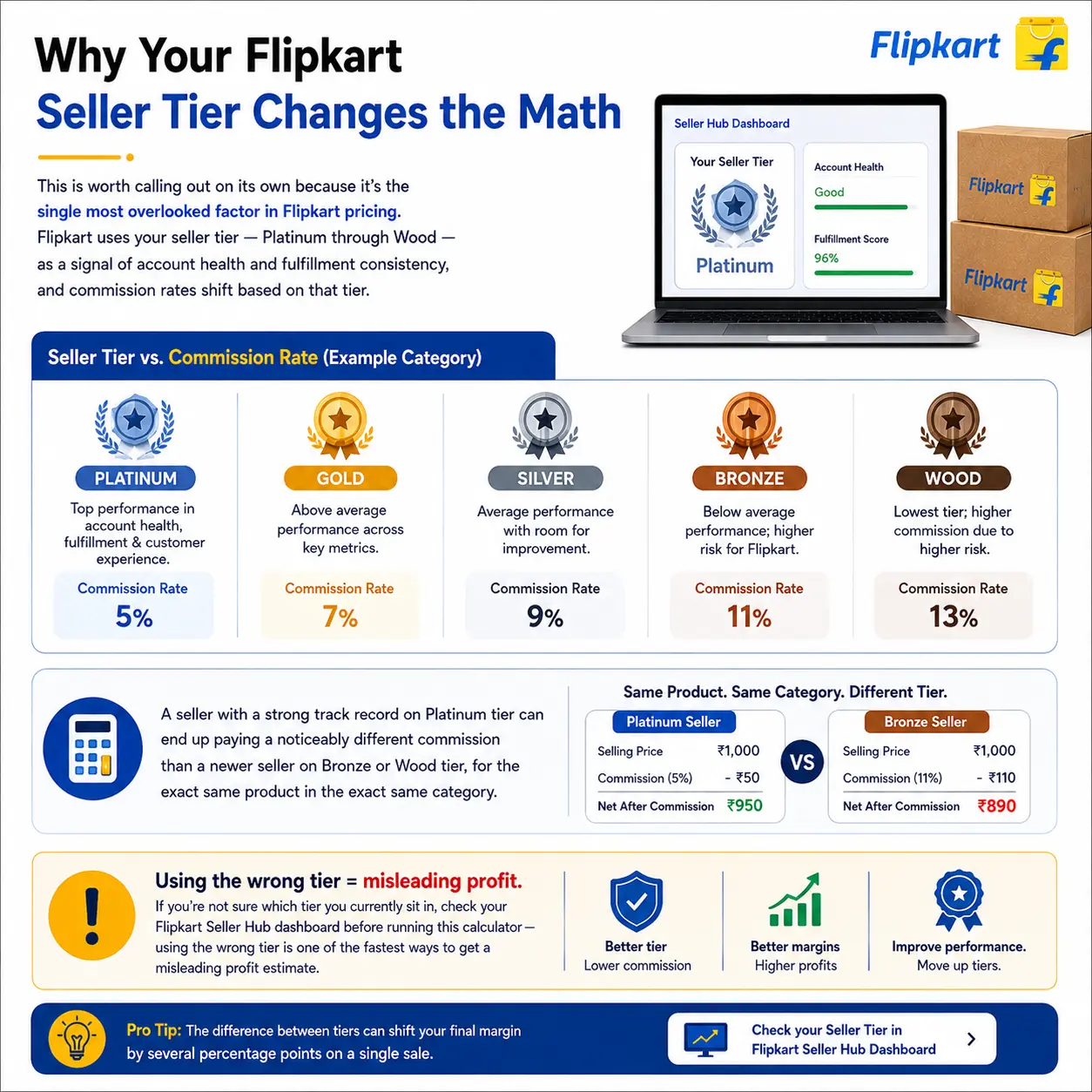
Why Your Flipkart Seller Tier Changes the Math
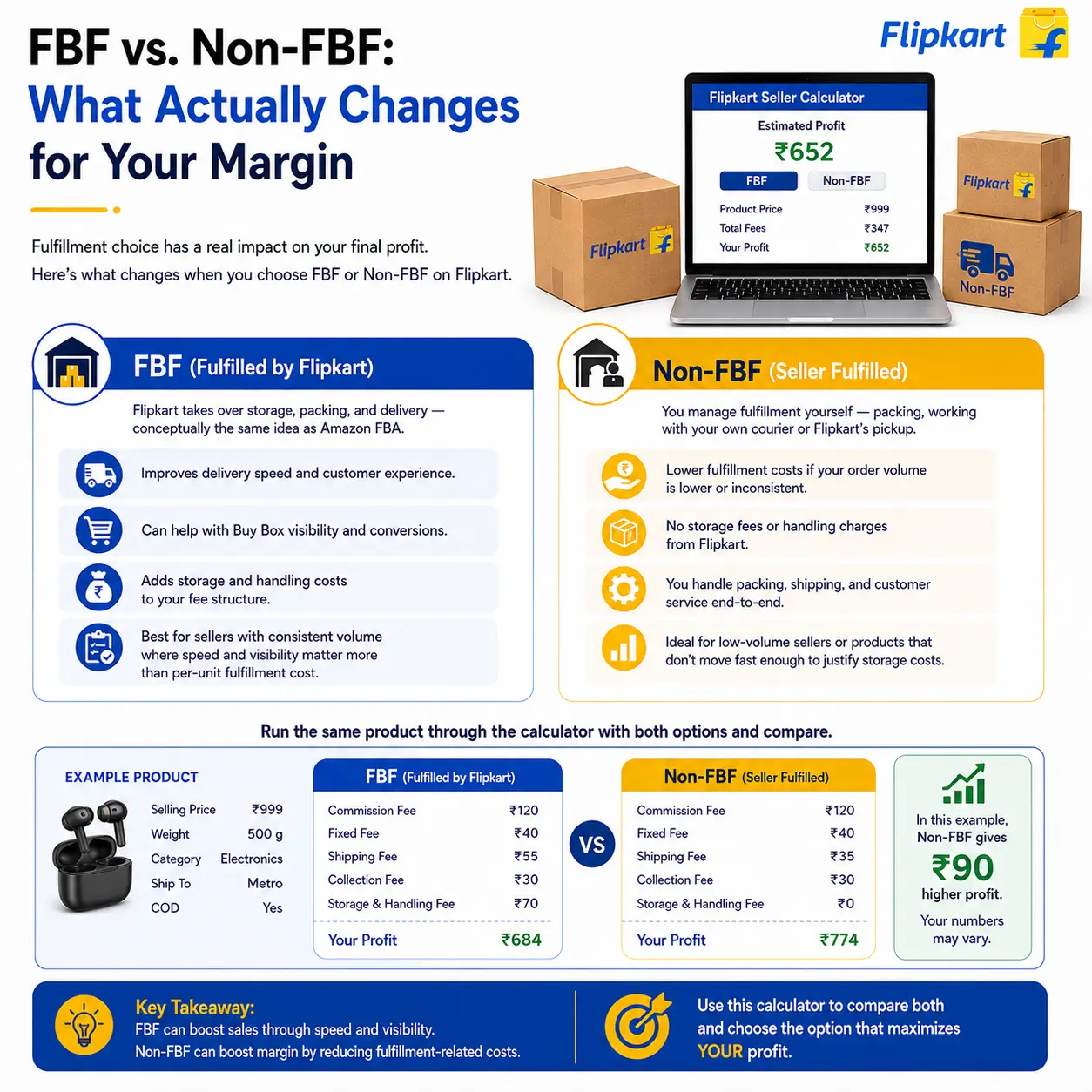
FBF vs. Non-FBF: What Actually Changes for Your Margin
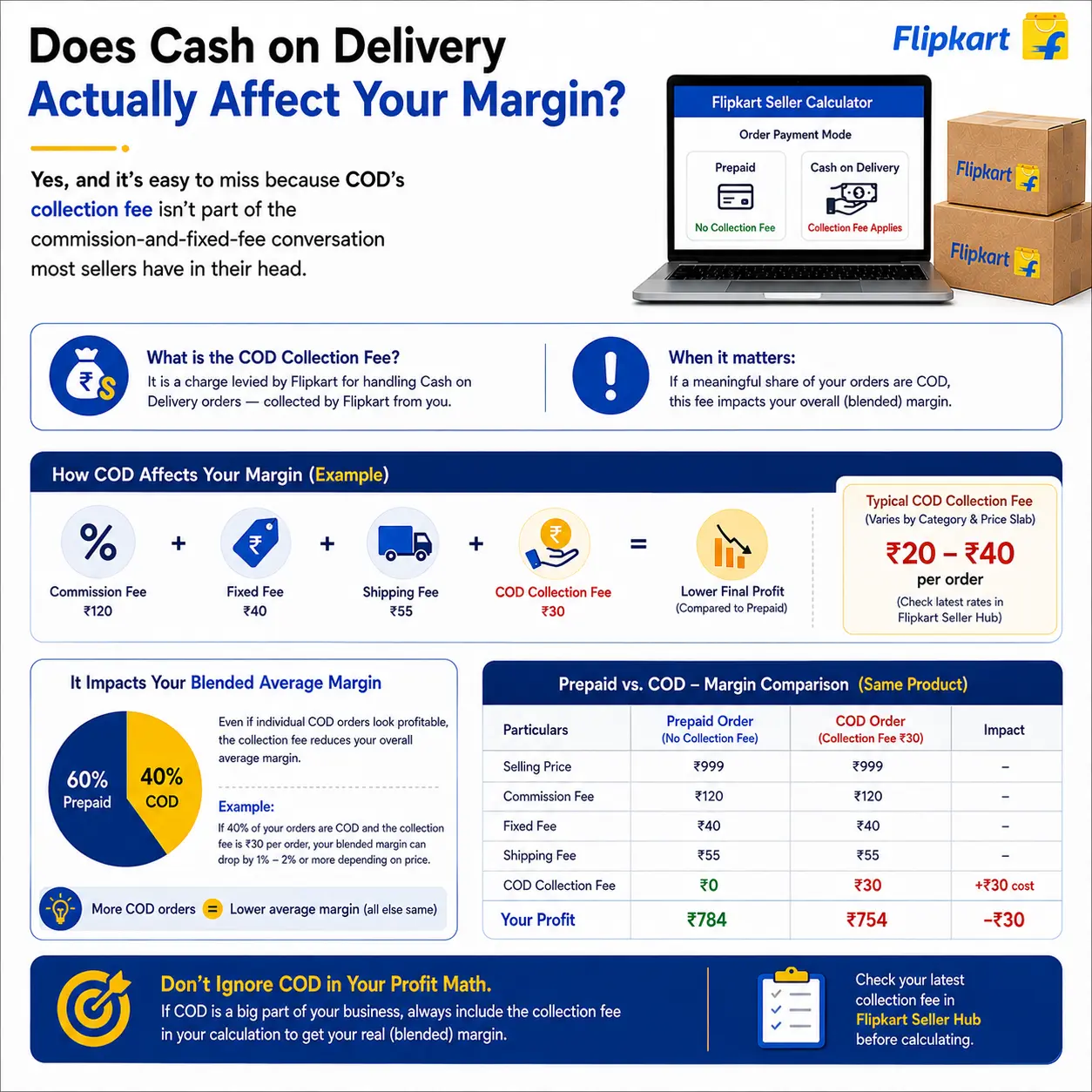
Does Cash on Delivery Actually Affect Your Margin?
What We Do
Our Services
Everything you need to succeed in e-commerce

Amazon Account Services
Dominate the largest online marketplace with our end-to-end Amazon services — from seller registration and A+ content to PPC campaigns and brand store design that boost visibility and conversions.

Flipkart Account Services
India's homegrown ecommerce powerhouse. We help sellers with account setup, catalogue management, ad campaigns, and pricing strategies to win the Buy Box and drive higher order volumes.

Alibaba Account Services
Expand your B2B reach on the world's largest wholesale marketplace. We handle store setup, mini-site design, keyword-rich listings, and RFQ management to connect you with global buyers.

Myntra Account Services
India's leading fashion marketplace demands pixel-perfect catalogues and brand compliance. We manage brand approval, product shoots, listing QC, and promotional campaigns to maximize your fashion sales.
Frequently Asked Questions
How much commission does Flipkart charge?
How do I calculate my Flipkart seller profit accurately?
Why does my seller tier affect my Flipkart commission?
Is selling on Flipkart still profitable in 2026?
What are the main charges on Flipkart for sellers?
Can I reduce my Flipkart selling fees?
Do Flipkart seller charges include GST?
What's the difference between FBF and Non-FBF on Flipkart?