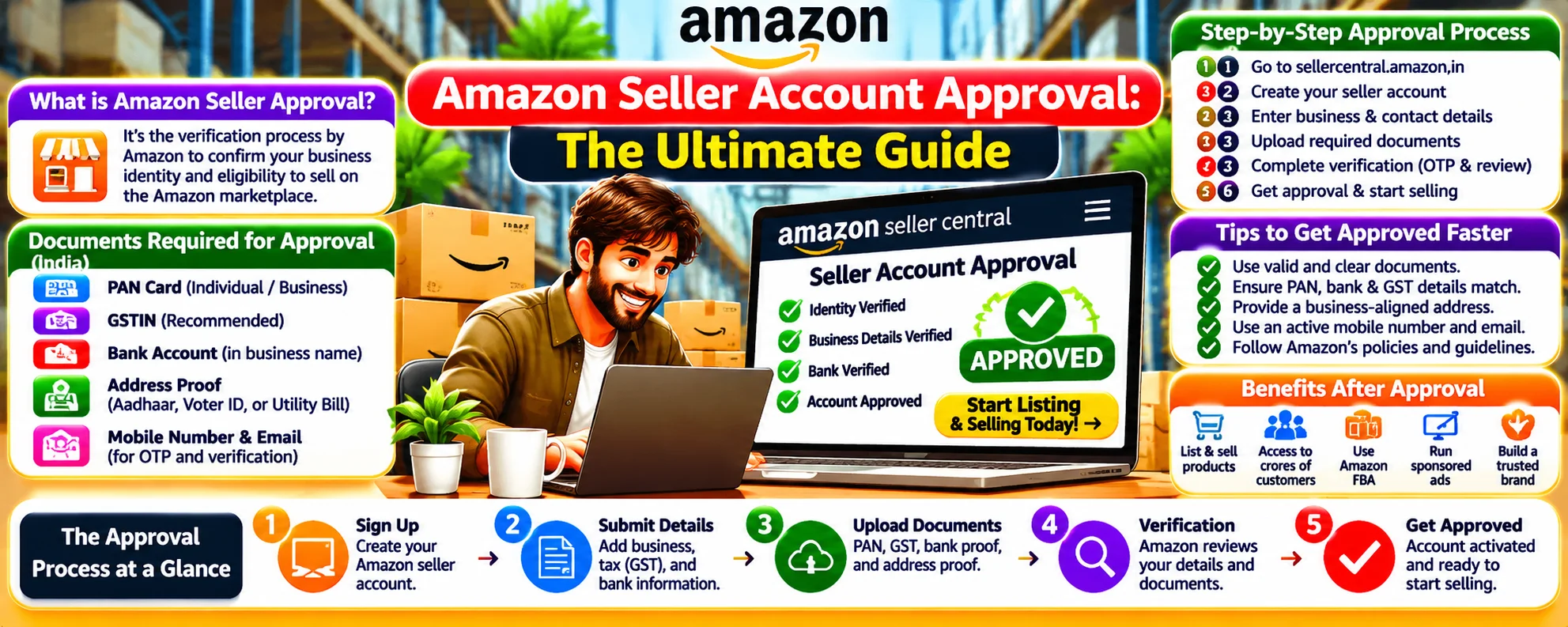
Getting your Amazon seller account approved quickly requires understanding the exact process. Here’s everything you need to know for smooth approval:
Amazon Seller Account Approval Process (Step-by-Step)
Registration & Document Submission
- Create account at sellercentral.amazon.com
- Choose between Individual (0.99 per sale) or Professional (39.99/month) plan
- Submit required documents (see checklist below)
Identity Verification
Amazon verifies through:
- Government ID scan (passport/driver’s license)
- Bank account verification (micro-deposits may be used)
- Possible video call (with Amazon representative)
Tax Information Verification
- US sellers: Provide SSN or EIN
- International sellers: Submit W-8BEN form
- Europe/UK: VAT registration may be required
Approval Timeline
- Instant approval (for some accounts)
- 24-72 hours (most common)
- Up to 7 days (if manual review needed)
Amazon Seller Approval Requirements (2024 Checklist)
Mandatory Documents
| Document Type | Individual Seller | Business Seller |
|---|---|---|
| Government ID | Required | Required |
| Bank Statement | Required | Required |
| Tax Information | (SSN) | (EIN) |
| Business License | Not needed | Required |
| Utility Bill | Sometimes | Sometimes |
Additional Requirements for Certain Categories
- Grocery: FDA compliance documents
- Electronics: Safety certifications
- Toys: CPSIA compliance
- Jewelry: Material authenticity proof
Why Amazon Rejects Seller Applications (Top Reasons)
- Document Issues (blurry scans, expired IDs)
- Tax Information Mismatch (name doesn’t match records)
- Suspicious Activity (VPN usage during registration)
- Previous Account Violations (linked to same identity)
- Restricted Category Attempt (without approval)
How to Increase Approval Chances
- Use high-quality document scans (clear, all corners visible)
- Ensure all names match exactly (bank, ID, tax documents)
- Apply from a residential IP address (avoid VPNs/proxies)
- Prepare category-specific documents in advance
- Double-check all information before submission
After Approval: Next Steps
- Set up 2-factor authentication (required within 60 days)
- Complete seller profile (add logo, return policy)
- List your first products (start with 1-2 simple items)
- Choose fulfillment method (FBA or FBM)
- Enable payments (wait 3-5 days for first disbursement)
Troubleshooting Approval Delays
If waiting more than 72 hours:
- Check Performance Notifications in Seller Central
- Look for emails from seller-verification@amazon.com
- Contact Amazon Seller Support with case ID
Professional Tips for Faster Approval
- Apply during business hours (9AM-5PM local time)
- Have all documents ready before starting
- Consider applying as a business (higher approval rate)
- Avoid multiple submission attempts (triggers fraud alerts)