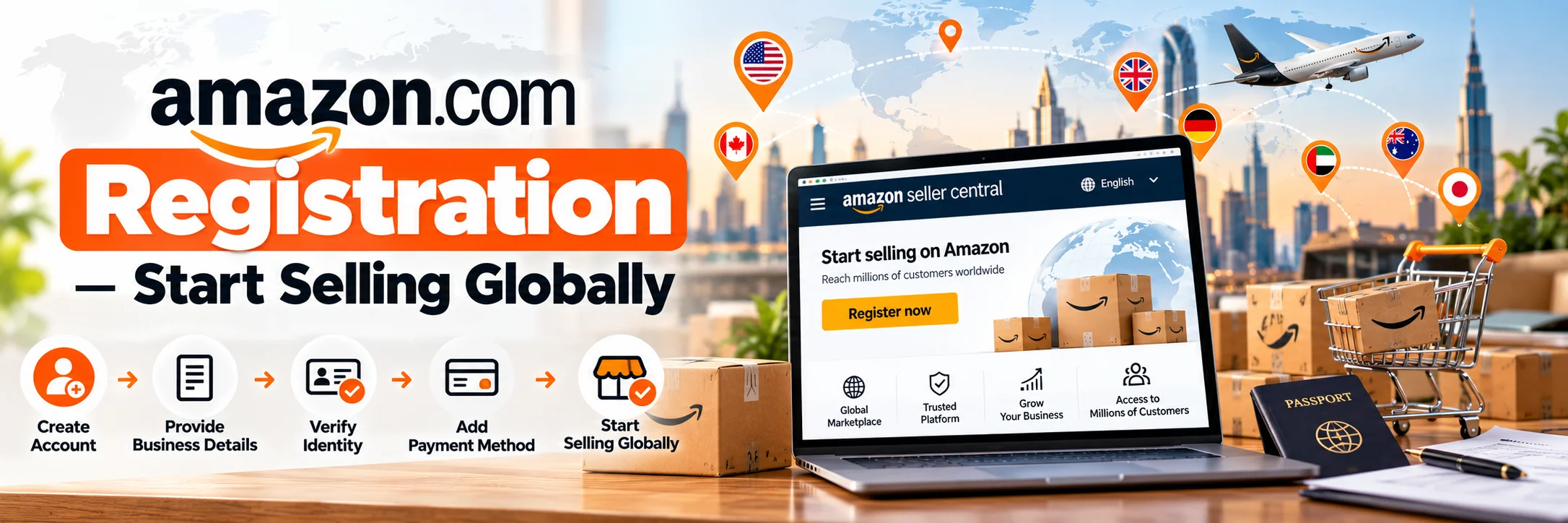
If you’re an Indian seller looking to grow your business internationally, there’s no better place to start than Amazon.com – the world’s largest online marketplace.
With over 300 million active customers, Amazon.com gives you a golden opportunity to sell your products in the United States and beyond.
But before you can begin selling, you must go through one important step – Amazon.com registration.
In this detailed guide, we’ll walk you through everything you need to know about registering on Amazon.com, the documents required, fees involved, and how Infobeam Solution can help you get started easily and grow your sales globally.
What Is Amazon.com Registration?
Amazon.com registration is the process of creating a seller account on the U.S. marketplace of Amazon.
This allows you to list and sell products directly to U.S. customers, manage inventory, and receive payments in your local currency through Amazon’s secure international payment system.
Once you register, you gain access to:
- The U.S. marketplace (Amazon.com)
- Millions of potential customers
- Amazon’s powerful Fulfillment by Amazon (FBA) service
- Seller tools for advertising, analytics, and performance tracking
For Indian sellers, Amazon.com registration is the first step toward global expansion through the Amazon Global Selling (AGS) program.
Why Sell on Amazon.com?
1. Access to the World’s Largest Market
2. Global Brand Visibility
3. Trust & Credibility
4. Fulfillment by Amazon (FBA)
5. Easy Payments
Amazon converts your international earnings to INR automatically and deposits them directly into your Indian bank account.
Step-by-Step Process for Amazon.com Registration
Step 1: Visit the Amazon Seller Central Page
Go to the official U.S. seller portal:
https://sell.amazon.com
Click “Sign Up” to begin your registration process.
Step 2: Choose Your Account Type
You’ll see two options:
- Individual Seller Account: For sellers with fewer than 40 products/month. No monthly fee, but higher per-item fees.
- Professional Seller Account: $39.99 per month with access to advanced tools, bulk uploads, and advertising features.
For serious sellers, the Professional Plan is highly recommended.
Step 3: Provide Basic Details
You’ll need to submit:
- Business name and address
- Mobile number and email
- Legal representative details (the owner or director of the business)
Step 4: Add Tax & Identity Information
Amazon requires tax verification for international sellers:
- PAN / GST (for Indian businesses)
- Passport / National ID
- Bank account proof
You’ll also need to verify your identity through a video call or document upload.
Step 5: Set Up Payment & Deposit Methods
Add:
- Credit or debit card (internationally enabled)
- Bank account (to receive U.S. dollar payments converted to INR)
Amazon typically uses payment processors like Hyperwallet or Payoneer for smooth global transactions.
Step 6: List Your Products
Once approved, start listing your products on Amazon.com.
You can:
- Add listings manually via Seller Central
- Upload in bulk using flat files or APIs
- Use Infobeam Solution’s product listing and SEO optimization service to ensure your listings rank high on search results
Step 7: Choose Fulfillment Method
You can sell through:
- Merchant Fulfilled Network (MFN) – You ship directly to customers.
- Fulfillment by Amazon (FBA) – Amazon stores, packs, ships, and handles returns.
FBA is ideal for international sellers who want fast delivery and higher customer trust.
Step 8: Start Selling
Amazon.com Registration Fees & Selling Costs
Here’s a breakdown of what to expect:
| Type of Fee | Details |
|---|---|
| Professional Seller Plan | $39.99/month |
| Referral Fee | 8%–15% depending on category |
| FBA Fee (Optional) | Based on product size, weight & destination |
| Shipping Cost (MFN) | Seller pays shipping for self-fulfilled orders |
| Advertising (Optional) | Based on PPC bids for keywords |
At Infobeam Solution, we help sellers plan their pricing and logistics to maximize profitability after all Amazon fees.
Documents Required for Amazon.com Registration
To open your seller account, keep the following ready:
- Business registration proof (GST / Udyam / MSME)
- PAN card (individual or company)
- Bank account statement (internationally accepted)
- Credit/debit card (international payments enabled)
- National ID / Passport
- Utility bill (proof of address)
- Product details (titles, descriptions, images)
Tips for a Successful Amazon.com Seller Account
1. Optimize Product Listings
2. Maintain Inventory Health
3. Request Reviews
4. Run Sponsored Ads
5. Monitor Account Health
Keep your Order Defect Rate (ODR) and Late Shipment Rate
(LSR) low to avoid account suspensions.
How Indian Sellers Benefit from Amazon.com
Amazon’s Global Selling Program has empowered over 100,000 Indian exporters to reach global customers.
You can sell everything from handicrafts, textiles, and jewelry to home goods, electronics, and supplements.
Top Categories That Perform Well from India:
- Home & Kitchen
- Apparel & Accessories
- Health & Beauty
- Jewelry & Handicrafts
- Electronics & Accessories
Infobeam Solution helps you identify profitable niches, optimize listings, and grow internationally.
Why Choose Infobeam Solution for Amazon.com Registration
At Infobeam Solution, we help sellers not only register but also succeed on Amazon.com with our end-to-end account management services.
Here’s what we offer:
| Service | Description |
|---|---|
| Amazon.com Registration Assistance | Complete setup for new accounts |
| Listing & SEO Optimization | Keyword-rich titles, bullet points, and descriptions |
| Product Research & Competitor Analysis | Find high-demand, low-competition niches |
| FBA & Logistics Setup | Help with shipment plans, labeling, and customs |
| Amazon Ads Management | Set up and manage PPC campaigns for better ROI |
| Account Health Monitoring | Ensure compliance and prevent suspensions |
| Monthly Reporting | Detailed performance and profitability tracking |
Our experienced team ensures your Amazon.com business runs smoothly from day one – so you can focus on growing your brand.
Why Choose Infobeam Solution
Infobeam Solution is a leading Amazon Account Management Agency in India helping exporters, manufacturers, and D2C brands sell globally through Amazon.com.
Here’s why 1000+ clients trust us:
- Proven expertise in Amazon Global Selling
- Quick and error-free registration support
- Dedicated account managers
- Transparent process and pricing
- End-to-end eCommerce growth support
Whether you’re new to online selling or want to expand your brand internationally – we make the process simple, fast, and profitable.
Frequently Asked Questions
How can I register as a seller on Amazon.com from India?
What documents are required for Amazon.com seller account registration?
How much does it cost to sell on Amazon.com from India?
Can Indian sellers receive Amazon.com payments in an Indian bank account?
Can Infobeam Solution help with Amazon.com registration and account management?
Conclusion
Expanding to Amazon.com is one of the best decisions an Indian seller can make.
With Amazon.com registration, you unlock access to a global marketplace, powerful fulfillment tools, and millions of customers.
However, managing registration, compliance, and optimization can be overwhelming – that’s where Infobeam Solution steps in.
Our team of Amazon experts ensures a seamless registration process, high-performing listings, and consistent global growth.
So, if you’re ready to sell internationally, start your Amazon.com registration with Infobeam Solution today and take your brand to new heights!