
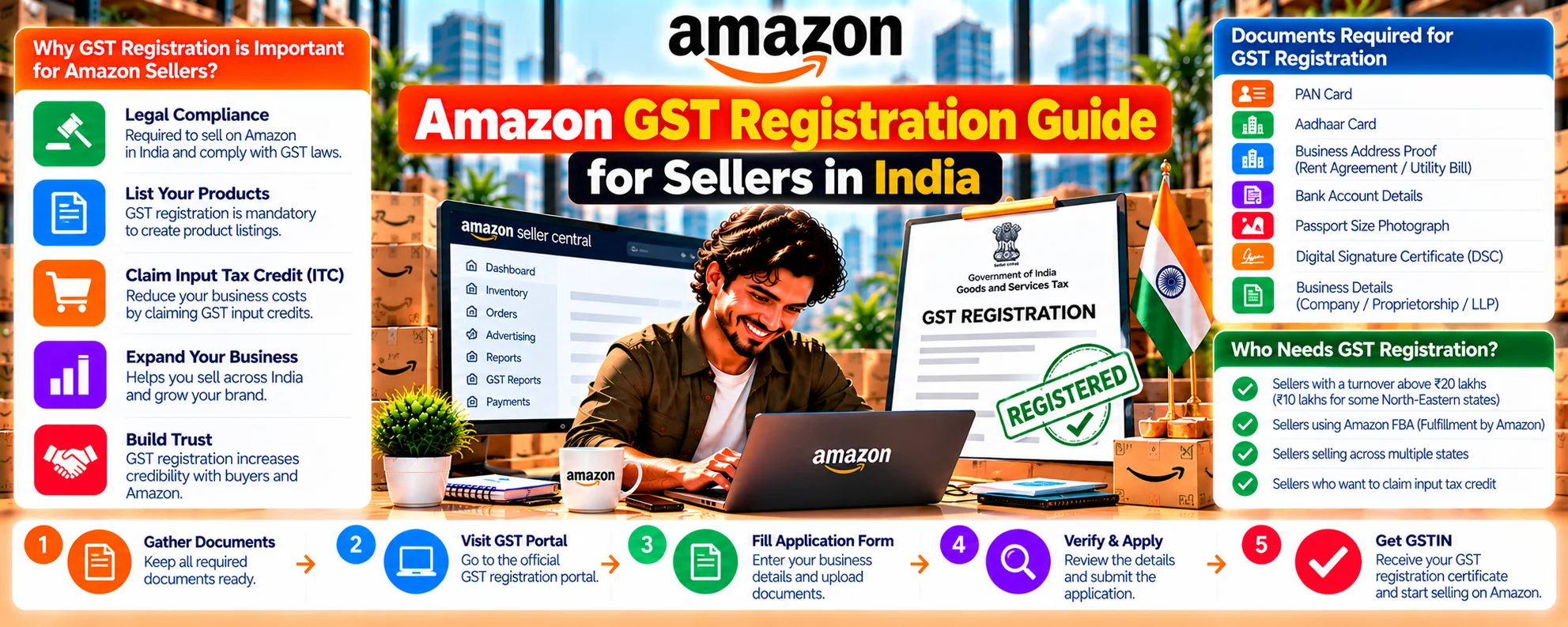
To sell products on Amazon India, GST registration is mandatory for most categories. Whether you’re a new seller or an existing offline retailer going online, understanding how GST applies on Amazon is crucial for compliance and smooth operations.
At Infobeam Solution, we help Amazon sellers get GST-registered, list products, and manage compliance effortlessly.
Why is GST Registration Important for Amazon Sellers?
GST (Goods and Services Tax) is India’s unified indirect tax system. If you sell on Amazon:
- You must have a valid GSTIN (except in exempt categories).
- Amazon collects TCS (Tax Collected at Source) under GST.
- You need to file monthly and annual returns.
Without GST, you can’t sell on Amazon (except for exempt goods like books or unstitched fabric).
Who Needs GST for Amazon Selling?
You need GST registration if:
- You are selling taxable products
- Your annual turnover exceeds ₹40 lakhs (₹20 lakhs for NE states)
- You sell interstate via e-commerce platforms
Voluntary registration is also allowed even if your turnover is below the threshold.
Documents Required for Amazon GST Registration
- PAN card of the business or individual
- Aadhaar card of the proprietor/partner/director
- Business address proof (electricity bill/rent agreement)
- Bank account details (cancelled cheque or passbook)
- Photograph of owner/partners
- Digital Signature Certificate (for LLPs and companies)
How to Register for GST (Step-by-Step)
How to Register for GST (Step-by-Step)
Go to www.gst.gov.in
Step 2: Fill Form GST REG-01
Step 3: Enter OTP and Verify
Step 4: Fill Business Details
Step 5: Upload Required Documents
Step 6: Submit Application with DSC or e-signature
Step 7: ARN Generation & Processing
Linking GST with Amazon Seller Central
Once your GSTIN is active:
- Log in to sellercentral.amazon.in
- Go to Settings > Tax Settings
- Add your GSTIN for each state where you’re storing inventory
- Amazon will now charge GST and deposit TCS as per law
Understanding Amazon GST Invoicing
- Amazon charges commission + GST
- You collect GST from customers
- Amazon files TCS returns on your behalf
- You must file GSTR-1, GSTR-3B monthly
Use tools like ClearTax GST, Zoho Books, or Infobeam’s accounting partner to simplify filing.
Infobeam GST Services for Amazon Sellers
We offer:
- New GST Registration (PAN India)
- GST Return Filing (Monthly & Annual)
- Amazon TCS Reconciliation
- GST Invoice Automation Tools
- Compliance Reminders & Support
Pro Tips for Amazon Sellers
- Keep digital copies of invoices for every order
- Reconcile monthly sales & returns with GST returns
- File returns on time to avoid late fees
- Use a professional or tool for accurate tax filing
Conclusion
Whether you’re a new seller or struggling with GST filings, Infobeam Solution can take care of everything from registration to compliance.