Meesho lets manufacturers, wholesalers, resellers and small businesses sell to customers across India. It charges 0% commission and you can start with zero investment, so there is little barrier to entry. This guide shows you exactly how to create a Meesho seller account, which documents you need, and how to avoid the mistakes that delay approval.
What is a Meesho seller (supplier) account?
A Meesho seller account, also called a supplier account, is your dashboard for running your store. After registration you reach it through the Supplier Panel, where you can manage your product catalog and the rest of your store from one place.
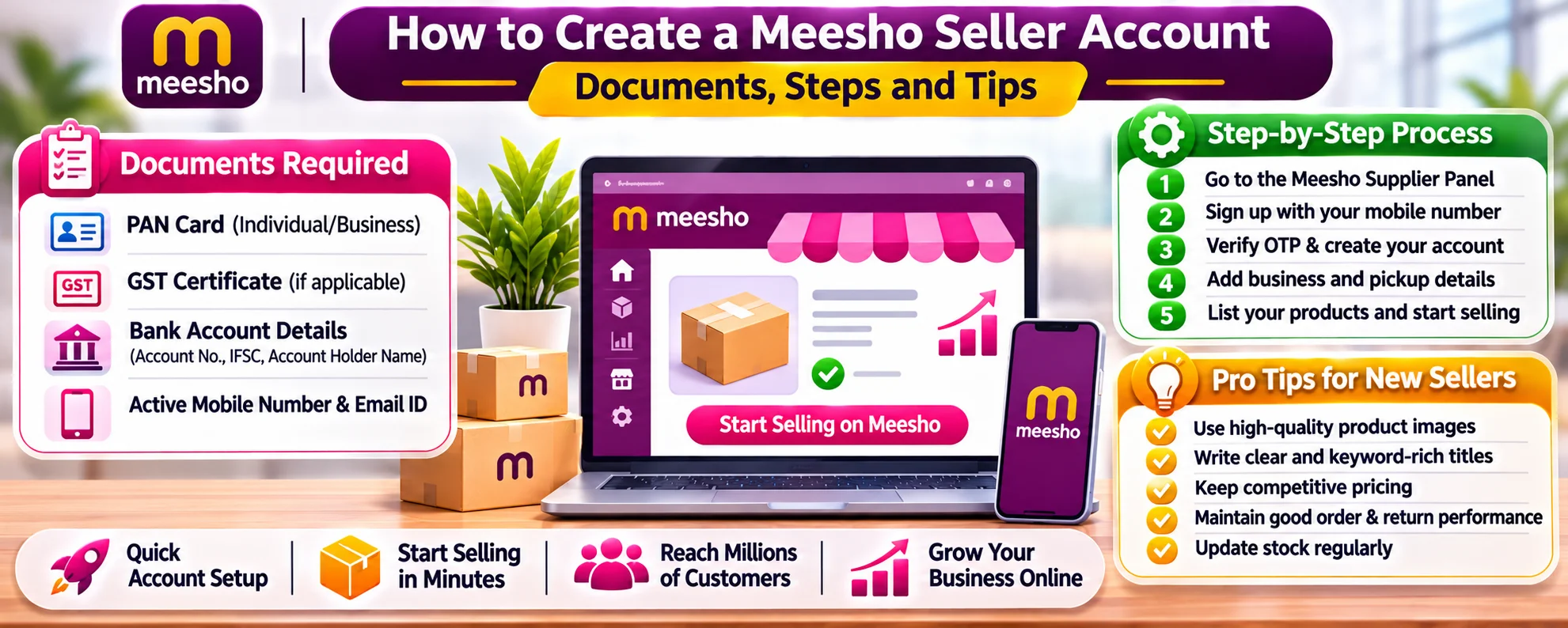
Documents required for a Meesho seller account
Keep these ready before you start:
- Mobile number and email ID for verification
- Bank account details (account number and IFSC) for receiving payments
- GSTIN, for GST-applicable products
- Pickup address from where orders will be collected
The requirement for GST registration applies to most product categories, and one guide says Meesho accepts composition-scheme GSTINs for non-restricted categories. Another source states that earnings are paid into a current account, so confirm which account type you need.
How to create a Meesho seller account: step by step
- Visit the supplier website. Go to supplier.meesho.com and click Start Selling.
- Verify your mobile number. Enter your mobile number and verify it with the OTP.
- Add your email and password. Use an active email, because you may need it for account communication and notifications.
- Enter your GST or enrolment details. The next step depends on your GST status. Regular GST sellers enter their GSTIN.
- Add your pickup address. Make sure it is accurate. It is used for product pickups and for return shipments when applicable.
- Add your bank account. Enter the account holder name, account number and IFSC code carefully.
- Create your store profile. Add your store name and the remaining details Meesho asks for.
- Upload your first catalog. After verification, you can start listing products.
Can you create a Meesho seller account without GST?
This is one of the most searched questions, and the honest answer is: it depends on your category and the current rules. One source says that a GSTIN is mandatory and PAN-only registrations are not allowed. Others describe an alternative where a seller without GST gets an Enrolment ID and registers on Meesho. Another source notes that certain exempt categories may have relaxed requirements, so you should check the current category-wise policy.
Before you register, check the rules for your category in the Supplier Panel. Do not rely on old videos or blogs, since this requirement changes.
How long does registration take?
One guide estimates that the whole flow takes 20 to 30 minutes if your GST and bank details are ready, and the account goes live once Meesho QC clears your first catalog. Actual timing depends on your documents and catalog quality.
Common mistakes that delay approval
- Name mismatch. The name on your GST, PAN and bank account should match, because accurate information consistent with official records is important for smooth verification and payments.
- Wrong pickup address. This causes pickup and return problems later.
- Typing errors in IFSC or account number. Payments will fail or be delayed.
- Poor first catalog. Blurry photos and wrong categories can get listings rejected.
- Wrong product weight. This affects your shipping and return fees. See our guide on Meesho return charges.
Tips for new Meesho sellers
- Start with a small, focused catalog of 10 to 20 products.
- Use clear, real photos taken in natural light.
- Write accurate titles and descriptions to reduce returns.
- Check shipping and return fees before you set your price.
- Review your settlement report regularly. Meesho follows a 15-day payment cycle, and earnings go to the bank account you provided.
Frequently Asked Questions
Is it free to create a Meesho seller account?
Meesho advertises 0% commission, and you can start without investment. You still pay shipping and return-related charges, so plan your pricing.
What is the Meesho seller login link?
Log in through the Meesho Supplier Panel at supplier.meesho.com.
Is GST mandatory for a Meesho seller account?
For most categories, yes. Some sources describe exceptions, so check your category in the Supplier Panel.
Can I sell on Meesho from my phone?
You can manage the Supplier Panel from a mobile browser. Confirm the current app options in the panel.
How do I get my first order faster?
List quality products with good photos, accurate details and competitive prices.
Conclusion
Creating a Meesho seller account is quick if you prepare your documents first: mobile number, email, GST details, bank account and pickup address. Match your names across documents, upload a clean first catalog, and understand your fees before you price. That gives you the best chance of fast approval and a profitable start.