Are you an Indian business owner or entrepreneur looking to sell your products in the United States?
Then Amazon.com, the largest e-commerce marketplace in the world, is your gateway to global success.
With over 300 million active customers, Amazon.com gives you access to one of the most profitable online markets. But before you start selling, you need to go through a crucial step – registering your seller account on Amazon.com.
In this comprehensive guide, Infobeam Solution will walk you through how to register on Amazon.com, the documents you’ll need, fees involved, and expert tips to help you start selling quickly and effectively.
Why You Should Sell on Amazon.com
1. Reach Millions of Buyers
2. Build an International Brand
3. Simplified Payments
4. Hassle-Free Logistics with FBA
5. 24/7 Global Presence
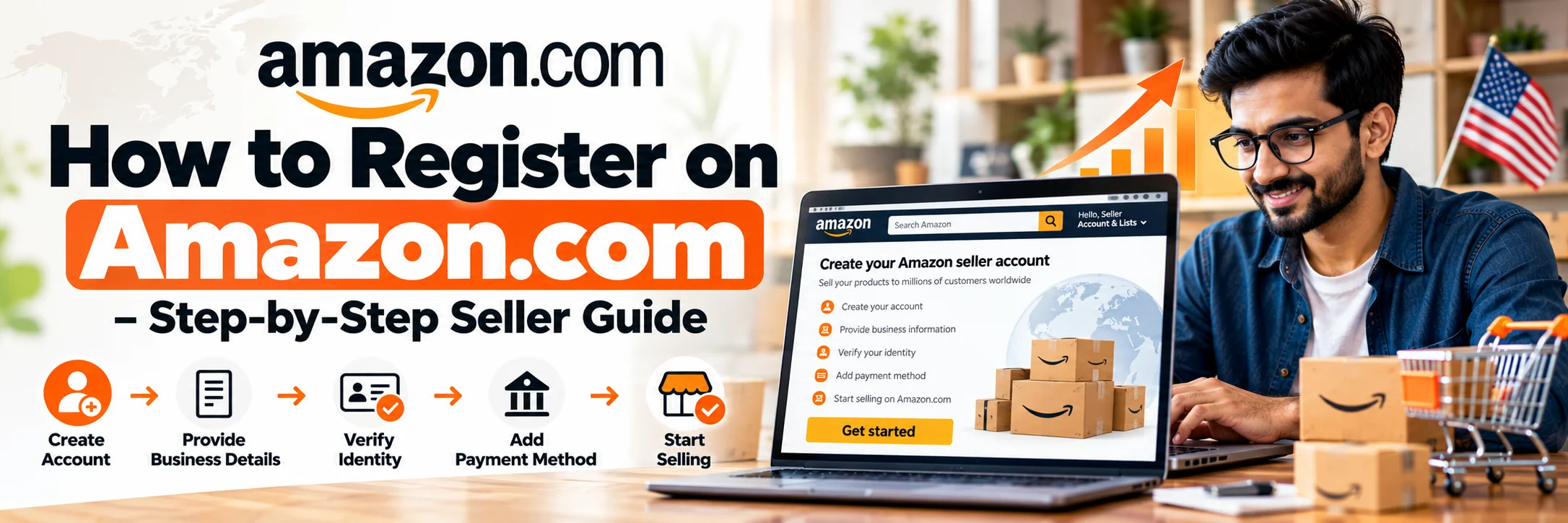
Step-by-Step Process: How to Register on Amazon.com
Step 1: Visit Amazon Seller Central
Go to the official registration page:
https://sell.amazon.com
Click on “Sign Up” to begin your seller registration process.
Step 2: Choose the Right Selling Plan
Amazon offers two types of seller accounts:
- Individual Plan:
Ideal for beginners who sell fewer than 40 items per month.
No monthly subscription, but per-item fees apply. - Professional Plan:
₹3,300 ($39.99 USD) per month.
Best for serious sellers who want advanced tools, bulk uploads, and ad campaigns.
For long-term success, we recommend the Professional Plan – especially for Indian exporters planning consistent sales.
Step 3: Create Your Seller Profile
Provide your business name, address, and contact information.
Amazon will send a verification code to your email or phone to confirm your identity.
Make sure your business details match your official documents.
Step 4: Submit Required Documents
You’ll need to upload scanned copies of these documents:
- Business Registration (GST / MSME / Udyam Certificate)
- PAN Card (Individual or Company)
- Bank Account Statement (International payments accepted)
- Credit or Debit Card (with international payments enabled)
- National ID / Passport of Business Owner
- Utility Bill (Address Proof)
These help Amazon verify your business authenticity.
Step 5: Add Bank & Payment Details
Amazon.com pays international sellers through Payoneer or Hyperwallet.
You can link your Indian bank account and get paid in INR automatically.
Make sure your bank account name matches your Amazon seller name for smooth transactions.
Step 6: Choose Fulfillment Method
There are two fulfillment methods available:
- MFN (Merchant Fulfilled Network):
You ship products directly from India. - FBA (Fulfillment by Amazon):
Amazon stores your inventory in U.S. warehouses and handles packaging, shipping, and returns.
For global sellers, FBA is the preferred choice for fast delivery and improved customer trust.
Step 7: List Your Products
Now you can start adding products to your Amazon.com catalog.
Use high-quality images, keyword-rich titles, and detailed descriptions to attract buyers.
At Infobeam Solution, we specialize in creating optimized Amazon listings that rank higher in search results and convert better.
Step 8: Verify and Activate Your Account
Amazon will verify your identity through:
- A live video verification call, or
- A document verification process
Once verified, your Amazon.com seller account will be activated, and you can start selling globally.
Amazon.com Registration Requirements for Indian Sellers
To make your registration process smooth, ensure you meet these basic requirements:
| Requirement | Details |
|---|---|
| Age Limit | Minimum 18 years |
| Business Entity | Individual, Partnership, or Company |
| PAN Card | Mandatory for tax verification |
| Bank Account | Indian account for INR deposits |
| Phone & Email | Active and verified |
| Product Details | Images, SKUs, pricing, category, etc. |
Amazon.com Registration Fees
Here’s a quick breakdown of the main costs involved in Amazon.com registration:
| Fee Type | Description |
|---|---|
| Professional Plan | $39.99/month |
| Referral Fee | 8–15% per sale (based on category) |
| FBA Storage & Fulfillment | Variable – depends on size and weight |
| Advertising (optional) | Based on Pay-Per-Click bids |
| Currency Conversion Fee | Around 3–4% by payment processor |
At Infobeam Solution, we help you estimate total selling costs to ensure you remain profitable after all Amazon charges.
Benefits of Registering on Amazon.com with Infobeam Solution
While you can register directly, working with Infobeam Solution ensures your account is created correctly, quickly, and compliantly.
Here’s how we help sellers like you:
| Service | Our Expertise |
|---|---|
| Amazon.com Registration Assistance | We handle the complete registration process |
| Account Setup & Verification | Avoid common rejections and delays |
| Listing Creation & Optimization | SEO-optimized listings for maximum visibility |
| FBA Setup & Guidance | Complete assistance with labeling, shipping, and storage |
| Ad Campaign Management | Targeted Amazon PPC to boost sales |
| Competitor Research | Analyze your niche and outperform competitors |
| Account Health Management | Prevent suspensions and maintain performance metrics |
Our team ensures you not only register successfully but also scale your Amazon business profitably.
Expert Tips for New Amazon.com Sellers
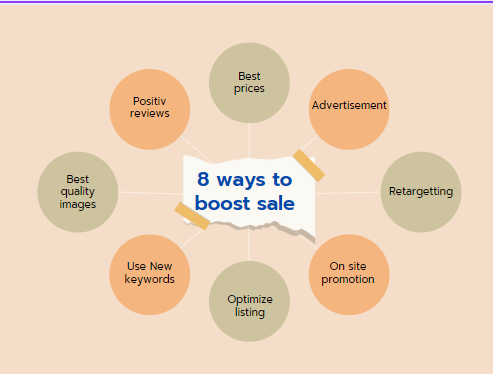
1. Focus on Listing Quality
2. Use Backend Keywords
3. Leverage FBA
4. Get Reviews Early
5. Run PPC Campaigns
6. Track Analytics
Monitor your performance dashboard regularly to identify improvement areas.
7. Stay Compliant
Why Choose Infobeam Solution
Infobeam Solution is a leading Amazon Account Management Agency in India helping exporters, manufacturers, and D2C brands sell globally through Amazon.com.
Here’s why 1000+ clients trust us:
- Proven expertise in Amazon Global Selling
- Quick and error-free registration support
- Dedicated account managers
- Transparent process and pricing
- End-to-end eCommerce growth support
Whether you’re new to online selling or want to expand your brand internationally – we make the process simple, fast, and profitable.
Frequently Asked Questions
How to register on Amazon.com from India?
What documents are required for Amazon.com seller registration from India?
How much does it cost to register and sell on Amazon.com from India?
Can I sell on Amazon.com from India and receive payments in an Indian bank account?
Can Infobeam Solution help with Amazon.com seller account registration?
Yes, Infobeam Solution provides Amazon.com seller account registration assistance for Indian businesses, including account setup and verification, product listing optimization, FBA guidance, Amazon PPC management, competitor research, and account health support.
Conclusion
Knowing how to register on Amazon.com is your first step toward building a successful international business.
Amazon’s massive reach, powerful tools, and global logistics make it the best platform for Indian sellers to grow their exports.
However, the process can seem overwhelming without expert guidance – that’s where Infobeam Solution comes in.
From registration to account optimization, we ensure a smooth, compliant, and profitable start to your Amazon journey.
Start your Amazon.com registration today with Infobeam Solution, and unlock limitless growth opportunities in the world’s largest marketplace!